When your boardroom stretches 25 feet or more, a single camera falls apart. Our Crestron multi-camera solution uses visual AI and voice-activated speaker tracking to automatically frame the person speaking, delivering smooth, broadcast-style transitions with no manual control.
With Crestron Automate VX there is no nauseating camera motion
Pairs of cameras mounted throughout the room capture meeting participants naturally
Displays on each wall provides optimal viewing angles for each participant
Presenter Tracking Cameras
Presenter tracking cameras follow a face within a fixed zone, like at a podium or display. Our multi-camera system dynamically switches between audience and presenter to capture whoever is speaking at the front of room.
All-in-one bar for medium to large rooms
The Videobar70 is a single, easily deployable device packed with everything you need to create premium hybrid experiences. Intelligent video capabilities from four high-resolution cameras. Stereo speakers with the capacity to fill the room with sound. Beamforming microphones that pick up every word clearly. Android OS® for easy install. Supports Zoom or Teams and includes remote service capabilities for enterprise rollouts.
Shade Solutions
Crestron shades are flexible enough for the specific lighting needs of any conference room — backed by lifetime warranty.
Home Office Solutions
From the home office to the boardroom our AV solutions have you covered.
Multi-Purpose Training Rooms
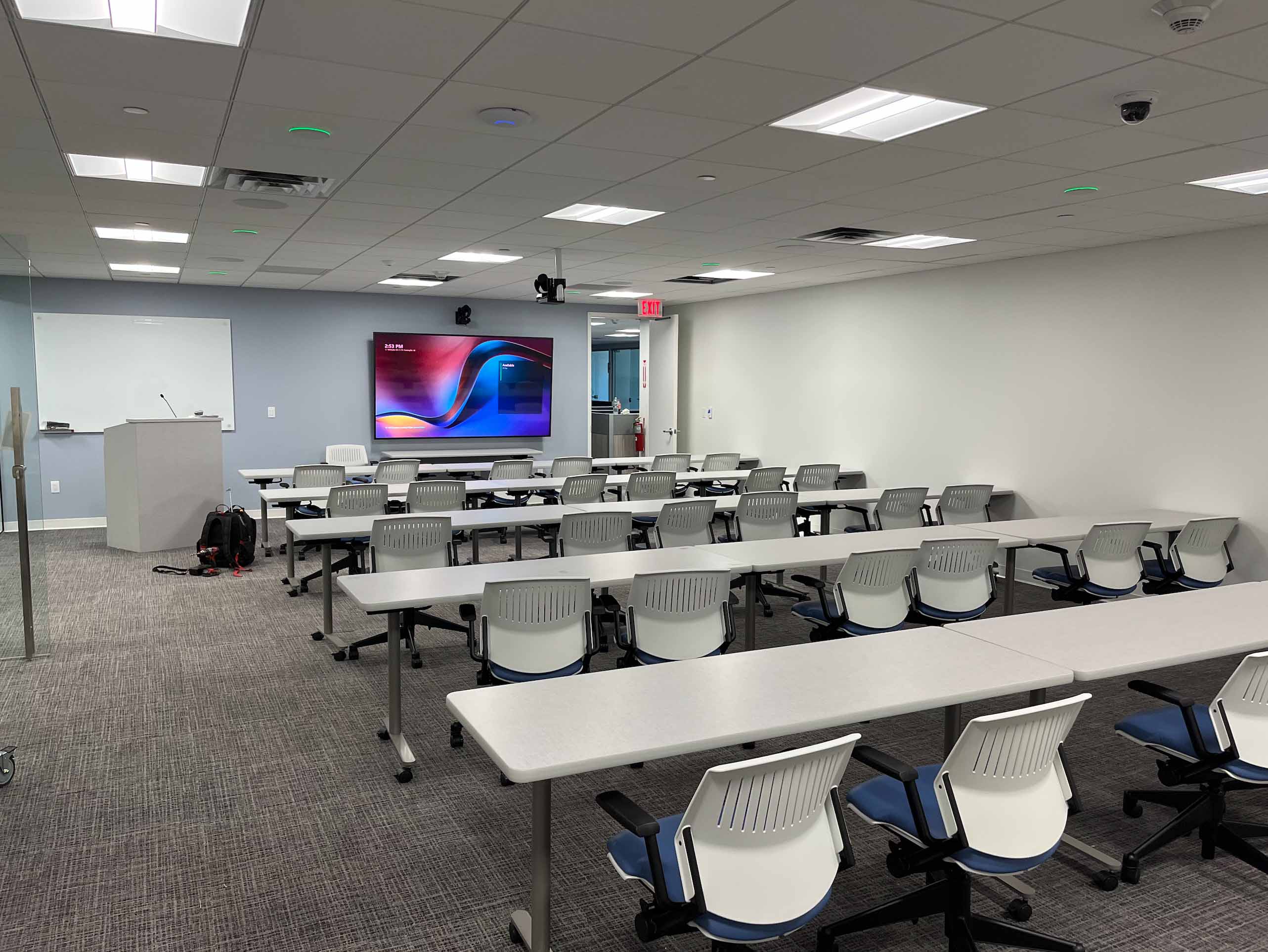
Designed for flexibility, multi-purpose rooms support everything from training sessions and town halls to presentations and hybrid meetings. Displays, audio, and collaboration tools are positioned to deliver clear sightlines and consistent sound throughout the space, regardless of seating layout. With intuitive controls and scalable AV infrastructure, the room can quickly adapt to different use cases—without requiring technical assistance—making it easy to transition between meetings, classes, and events.
Room Automation
Room automation brings all in-room technology together on one platform, simplifying how meetings are run. Calls, displays, audio, and room settings are managed from one consistent control interface, rather than spread across multiple panels or systems. The result is a predictable, reliable meeting experience that lets users focus on the discussion—not the controls.
Signature Microsoft Teams® Rooms
Choose Microsoft Teams® Front Row for best-in-class collaboration


.jpg)

.jpg)